Category: Computer Store
Tag: Computer Store
Description
Elara StarTech.com USB-C Triple Monitor Docking Station
Overview
Range/Series Overview
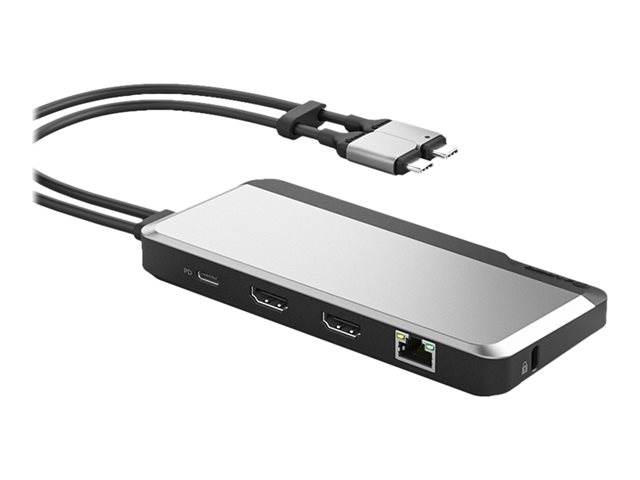
IMPORTANT: This Range/Series overview section describes the range of which this product belongs. Features of different versions might be mentioned and may not apply to the specific product on this page. Please view Specs for specification of product.USB-C Triple 4K Monitor Docking Station features compatibility with USB-C, or Thunderbolt 3/4 laptops, supporting multiple 4K DisplayPort and/or HDMI monitors. Triple-4K dock uses a combination of its DisplayLink controller and your computer's DP Alt Mode enabled USB-C port to provide three independent 4K displays. Connect any combination of HDMI and/or DisplayPort monitors to Video Ports 1 and 2 (DisplayLink ); at resolutions up to 4K at 60Hz. Connect an HDMI monitor to Video Port 3 (DP Alt-Mode), enhancing productivity by expanding the display capabilities of your laptop. Connect the dock to your computer's USB-C port for a wide range of connectivity: 2x USB-A and 1x USB-C (5Gbps) ports, 1x USB-C (10Gbps) port that supports BC 1.2 with 7.5W (1.5A), 1x Gigabit Ethernet port with WoL, 1x 3.5mm 4-position TRRS Audio Jack, and 100W USB PD with included power adapter. Included 3.3ft (1m) USB-IF Certified USB-C host cable. Supports Windows, macOS, ChromeOS, and Ubuntu. Ensures seamless integration with Lenovo X1/Thinkpad P Series, Dell Latitudes/Precision/XPS 15, HP Envy, Surface Laptop 3, and M1 Pro/Max MacBooks and supports up to 3 extended displays on Macbook Pro/Air with Intel processor or Apple M1 / M2 chip. Side-facing K-Slot for added security in shared workspaces.Features Summary
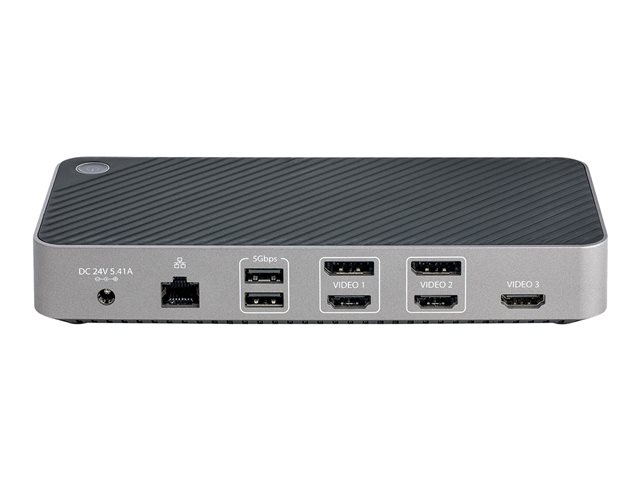
- Enhance Productivity with Triple-4K VideoThis triple-4K docking station uses a combination of its integrated DisplayLink graphics controller and your computer's DP Alt Mode enabled USB-C port to provide three independent 4K displays. Connect any combination of HDMI and/or DisplayPort monitors to Video Ports 1 and 2 (DisplayLink ); at resolutions up to 4K at 60Hz. Connect an HDMI monitor to Video Port 3 (DP Alt-Mode), at resolutions up to 4K at 30Hz. This high-resolution video performance is ideal for detailed graphics applications, enhancing your productivity by expanding the display capabilities of your laptop.
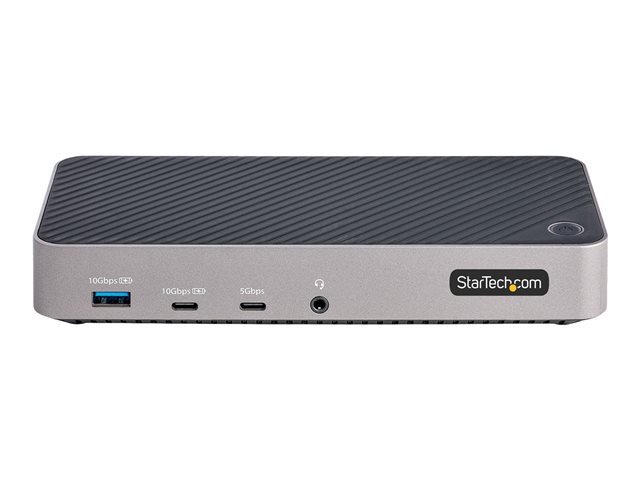
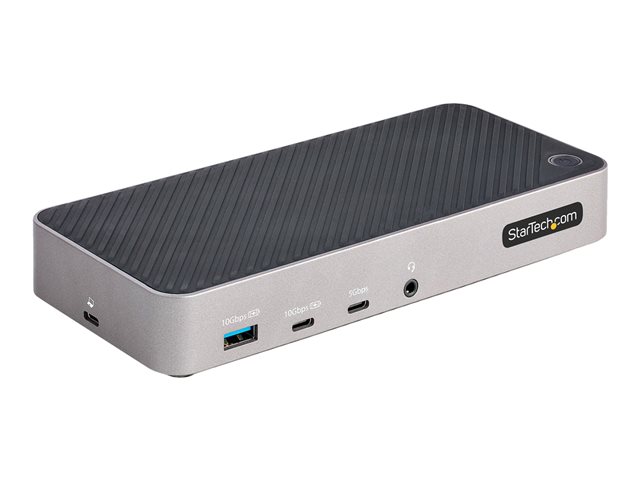
- Full-Featured Docking StationConnect the docking station to your computer's USB 3.2 Gen 2 (10Gbps) Type-C port to provide a wide range of port connectivity, options and features. The docking station features: • 2x USB-A and 1x USB-C (USB 3.2 Gen 1 5Gbps) ports for USB peripheral devices. • 1x USB-A and 1x USB-C (USB 3.2 Gen 2 10Gbps) port that supports BC 1.2 with 7.5W (1.5A) for charging tablets and smartphones. • 1x Gigabit Ethernet port with WoL (Wake-on-LAN) for a wired Local Area Network (LAN) connection. • 1x 3.5mm 4-position TRRS Audio Jack for a 3.5mm headset.
- 100W USB Power DeliveryThe USB-C docking station supports 100W USB Power Delivery with the included power adapter. This allows you to charge the connected host device, as well as the devices connected to the BC 1.2 USB charging ports. For added protection to connected USB devices, the BC 1.2 enabled USB charging ports feature Overcurrent Protection (OCP). OCP prevents USB peripherals from drawing more power than is safely allocated for the port.
- Easy DeploymentConnect the dock to your host computer, using the included 3.3ft (1m) USB-C cable. The docking station supports all major operating systems, including Windows, macOS, ChromeOS, and Ubuntu. This dock was designed for seamless integration with any compatible USB-C equipped device within your organization, including Lenovo X1/Thinkpad P Series, Dell Latitudes/Precision/XPS 15, HP Envy, Surface Laptop 3, and M1 Pro/Max/M2 MacBooks. The dock features a side-facing K-Slot for added security in shared workspaces (e.g., BYOD hoteling/hot-desking).
- Enhance Productivity and Device Management with the StarTech.com Connectivity Tools ApplicationDeveloped to improve performance and security, StarTech.com Connectivity Tools is the only software suite on the market that works with a wide range of IT connectivity accessories. The software suite includes: •Text | Advanced Windows Layout Utility : Setup and save custom windows layouts. •Text | Mac Address Pass-Through Utility : Improve network security. •Text | USB Event Monitoring Utility : Track and log connected USB devices. •Text | Wi-Fi Auto Switch Utility : Enable users to quickly access faster network speeds via wired LAN.